The Hidden Cost of WordPress Maintenance
More flexibility also means more things you’re responsible for keeping working.
& Overwhelm
Starting a business online is easier than ever — but choosing the wrong website platform can cost you time and money.
Whether you want to sell products online, start an online store, or create a website for your business, choosing the right platform matters.
In this guide, we compare the best website builders and ecommerce platforms for beginners and small businesses in 2026 — including Shopify, Wix, WordPress, and Squarespace.
Choosing the right website platform matters because each is built for different goals. An ecommerce store needs different tools than a blog, local business, or portfolio.
Some platforms make it easier to sell products online, while others focus on SEO, simplicity, or customization. Scalability matters too — the right website builder should support your business as traffic, products, and customers grow.
Ultimately, the best website platform is the one that fits your business goals without adding unnecessary cost or complexity.
Compare the most important factors when choosing a website platform.
| Category | Shopify | Wix | WordPress | Squarespace |
|---|---|---|---|---|
| Ease of Use | 9.8 | 9.6 | 8.5 | 9.6 |
| Ecommerce | 9.8 | 7.4 | 8.3 | 7.0 |
| SEO | 8.4 | 7.8 | 9.7 | 7.6 |
| Scalability | 9.5 | 6.8 | 9.2 | 7.0 |
| Pricing | 7.5 | 8.5 | 10.0 | 8.5 |
| Customization | 8.0 | 8.0 | 10.0 | 7.5 |
| Support | 9.0 | 8.2 | 8.0 | 8.8 |
Every platform claims to do it all. In practice, these are the factors that actually determine whether your site helps your business — or slows it down.
Ease of Use — matters because time spent fighting your website builder is time not spent on your business. A platform with a steep learning curve can turn a weekend project into a month-long one.
Ecommerce — matters if you’re selling anything. Missing inventory sync or clunky checkout can directly cost you sales — not a hypothetical, a lost cart.
SEO — matters because a beautiful site nobody finds doesn’t grow your business. Platforms with weak URL/meta control make it harder to rank, no matter how good your content is.
Scalability — matters because switching platforms later isn’t simple. Migrating products, pages, and SEO rankings can cost weeks of work you didn’t plan for.
Pricing — matters beyond the sticker price. Apps, plugins, and transaction fees often double the “real” monthly cost.
Customization — matters if your brand needs to look different from every other site on the same template. Some platforms lock you into their design system; others don’t.
Support — matters most when something breaks at the worst possible time. The difference between 24/7 live chat and a ticket queue can mean hours of downtime
| Platform | Score (/10) |
User Rating | Best For | Starting Price | Key Strengths |
|---|---|---|---|---|---|
|
9.6
Excellent
|
4.56/5
14,988 Software Advice9,540 G2 |
Control & Growth
SEO, customization, scalability.
|
$9 / mo
Hosting may cost extra
|
|
|
9.3
Excellent
|
4.54/5
6,701 Software Advice5,121 G2 |
E-commerce
Sell products. Manage orders.
|
$39 / mo
Apps may cost extra
|
|
|
8.9
Excellent
|
4.55/5
3,411 Software Advice1,136 G2 |
Beautiful Websites
Creative and business sites.
|
$25 / mo
Annual: $211–$284
|
|
|
8.6
Very Good
|
4.42/5
10,743 Software Advice1,889 G2 |
Beginners
Quick, easy visual websites.
|
$17 / mo
Higher plans cost extra
|
|
This is purely what the majority of the community says. We evaluated each platform using thousands of verified user reviews from Capterra and G2 — looking at ease of use, ecommerce capabilities, SEO, scalability, pricing, customization, and support. Read on to get our personal insight.
Overall Score: 9.3/10
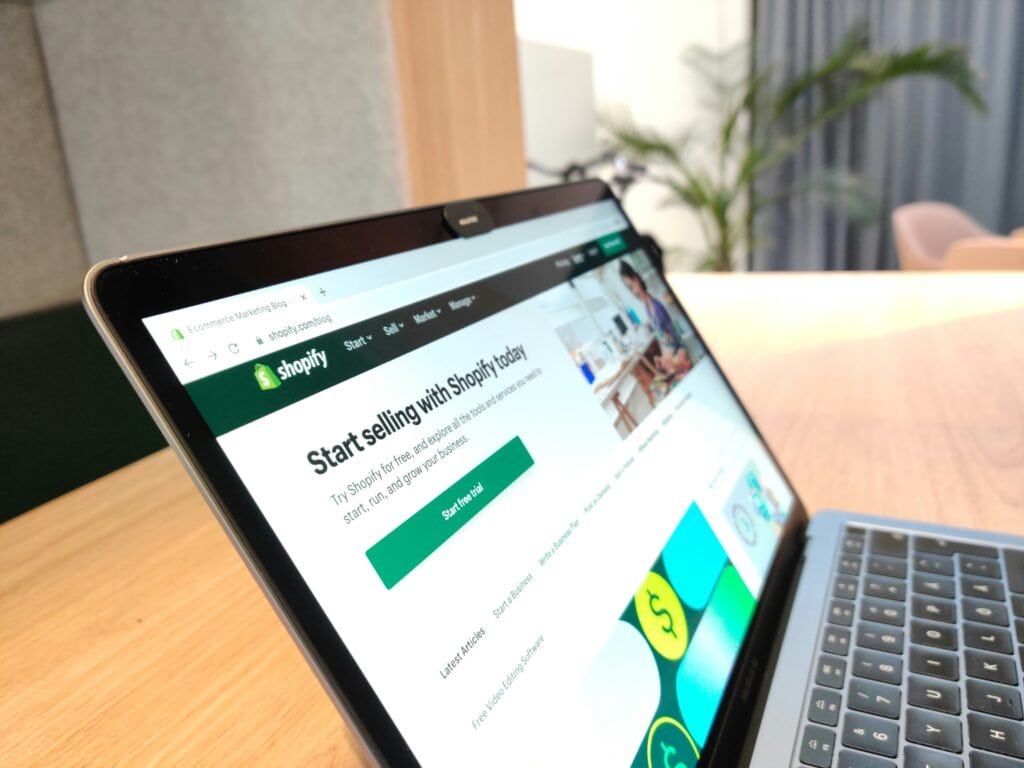
If your goal is to sell products online, Shopify is the best ecommerce platform for most businesses. Unlike general website builders, Shopify is built specifically for ecommerce, with tools for payments, inventory, shipping, checkout, and growth already built in.
It’s a strong choice for small businesses, side hustles, and growing brands because it combines the most important ecommerce features into one easy-to-manage platform.
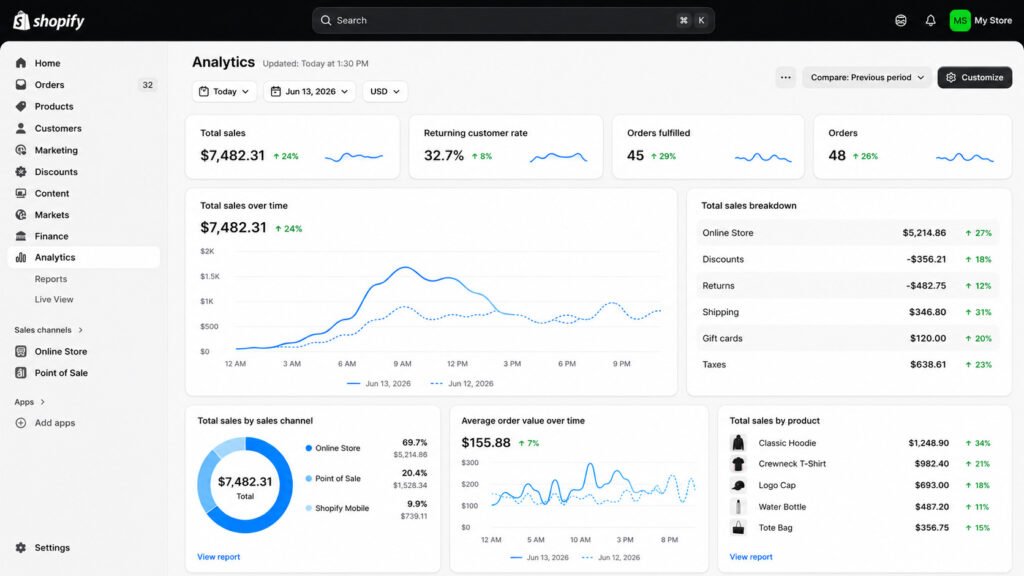
Shopify gives business owners everything needed to launch and grow an online store from one dashboard — payments, inventory, shipping, and hosting are already built in, so you’re not stitching together five different tools just to take your first order.
It’s particularly strong for selling physical and digital products, managing inventory across multiple sales channels, accepting payments without needing a separate merchant account, and scaling from a handful of orders a week to a full operation without hitting a wall or needing to rebuild.
All these platforms are genuinely good at what they do — but if you’re not especially technical and your goal is ecommerce, this is actually an easy choice. You don’t want to waste endless hours getting set up, and you don’t want ongoing maintenance eating into time you don’t have.
Most people starting out are working with limited time, money, and energy — often running this alongside a full-time job or family life — and Shopify is built for exactly that reality.
| Pros | Cons |
|---|---|
| Built for ecommerce. Checkout, payments, inventory & cart recovery included. | Less flexible than WordPress for advanced customization. |
| Hosting, SSL, security & payments included. | Paid apps can increase monthly costs. |
| Excellent 24/7 ecommerce support. | Limited backend control. |
| Scales from startup to enterprise. | Switching platforms often requires rebuilding. |
Personal Experience
Having run both a home décor store and a clothing brand on Shopify for the past 3 years — alongside earlier experience with WordPress — Shopify is our top pick.
Yes, you don’t get full access to the backend the way you do with WordPress. But in practice, that trade-off barely matters — full backend control usually isn’t necessary for a shop starting out.
Apps can fill the gap that coding would otherwise cover, and yes, that costs extra — but so does coding, whether that’s your own time or hiring a developer. Shopify simply doesn’t break. There’s something genuinely satisfying about adding professional features by the click of a button — marketing tools, stock management, everything living in one dashboard that actually works together seamlessly.
It’s compact and easy to navigate, no fluff, no overwhelm — which after three years of running two different stores on it, still feels like the right amount of platform for the job. It’s not for someone who wants to rebuild everything from scratch, but for actually running a business day to day, it does the job reliably, every time.
Plans start around $39/month, though budget for real monthly costs to be higher once apps and transaction fees are added.
If your main goal is publishing content — a blog or resource-heavy site — WordPress will likely serve you better than Shopify. But for most businesses selling products online, Shopify remains the top pick.
Bottom Line: The best ecommerce platform for most online stores.
Try Shopify for Free →
Overall Score: 8.6/10
Wix is the best website builder for beginners thanks to its ease of use, drag-and-drop editor, and all-in-one setup. Unlike more advanced platforms, Wix allows users to create a professional website without technical knowledge, coding skills, or complicated setup processes.
For freelancers, consultants, local businesses, and first-time website owners, Wix offers one of the easiest ways to get online quickly.
“Best overall” and “best for you” aren’t always the same thing — and Wix is the clearest example of that.
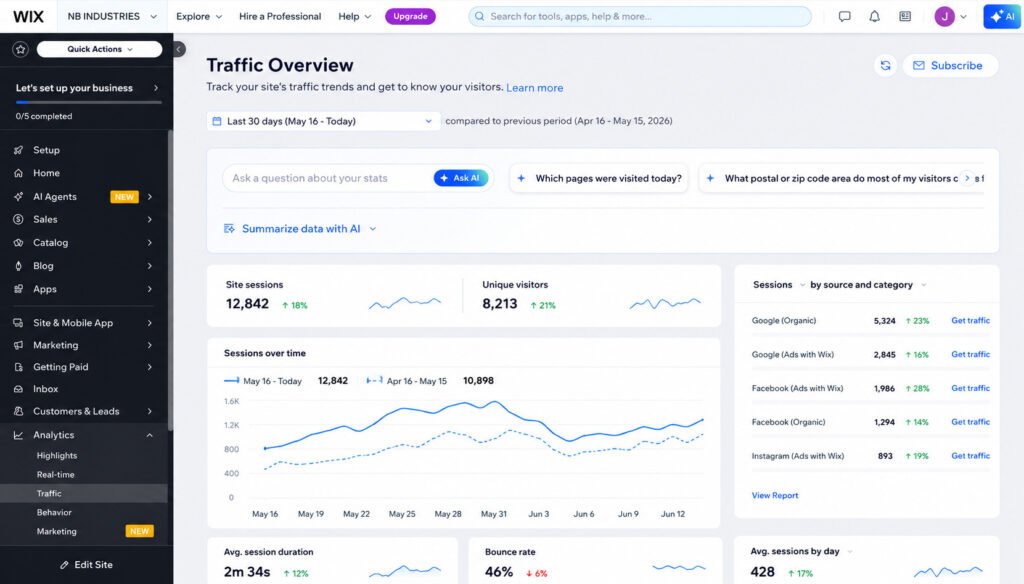
Wix focuses on simplicity: hosting, templates, design tools, SEO features, and marketing tools all live in one place, making it one of the best do it yourself website builders for anyone figuring out how do you create a website for your business without hiring a developer.
A restaurant, salon, consultant, coach, or tradesperson usually just needs a menu or service list, hours, photos, contact details, reservations, and maybe simple online ordering.
For that, Shopify is often overkill — you’d be paying for inventory management, product variants, and checkout infrastructure a business like this will never use.
As the best website builder for a small business, Wix gets a site like that live fast, with restaurant- and service-specific templates, reservation and ordering integrations, and very little ongoing maintenance.
| Pros | Cons |
|---|---|
| Extremely beginner-friendly with a drag-and-drop editor that requires no coding. | Ecommerce features are suitable for small stores but less powerful than Shopify for businesses planning to scale. |
| Ideal for service businesses, local businesses, restaurants, and professionals. | Less customization and flexibility than WordPress for advanced websites. |
| Hosting, security, SEO tools, and marketing features are included in one all-in-one platform. | Switching templates or making major design changes later can be difficult. |
| Built-in features like contact forms, appointment booking, menus, and galleries cover most business website needs. | Advanced features and business tools may require higher-tier plans or paid apps. |
| Very little ongoing maintenance, making it easy to manage without technical knowledge. | Limited developer control compared to WordPress. |
Wix offers both free and paid plans, with premium plans starting around $16/month depending on features and business needs.
If you’re running a restaurant, salon, local service, or consulting business, Wix is very likely the better fit — not because Shopify is worse, but because Shopify is built to solve a problem you don’t have. Save Shopify for when you’re actually managing inventory, variants, and shipping at scale.
Overall Score: 9.6/10
WordPress is the best website platform for SEO and customization. Unlike all-in-one website builders, WordPress gives users complete control over their website, allowing them to customize nearly every aspect of design, functionality, and content.
For blogs, publishers, and content-driven businesses, WordPress remains the most flexible platform available and powers a significant portion of the internet.
WordPress isn’t really a website builder in the same sense as Wix or Squarespace — it’s a content management system that can be built into almost anything, with far fewer restrictions than a template-based platform.
That flexibility is exactly why it’s often the best website design tool for SEO: it gives full control over technical SEO, content structure, plugins, site speed, metadata, schema, and URL structures — control most website building software simply doesn’t offer.
That same openness is also why WordPress fits two very different kinds of users best: independent bloggers and content-driven sites chasing organic traffic, and larger companies with an actual team — developers, marketers, an SEO specialist — to handle the ongoing maintenance, plugins, and coding it requires.
It’s particularly strong for content marketing, blogging, organic traffic growth, and any site that needs custom functionality no off-the-shelf builder offers.
| Pros | Cons |
|---|---|
| Excellent SEO capabilities with full control over your site's technical structure. | Steeper learning curve than Wix, Shopify, or Squarespace. |
| Massive plugin ecosystem and thousands of themes for virtually unlimited customization. | Requires ongoing maintenance, including updates, backups, and plugin management. |
| Highly scalable for growing businesses, blogs, and content-heavy websites. | Plugin or theme conflicts can occasionally cause compatibility issues. |
| Full ownership and control over your website, data, and hosting. | Hosting, security, and performance optimization are your responsibility or your hosting provider's. |
| Strong long-term value with no platform limitations on features or functionality. | Initial setup takes more time than all-in-one website builders. |
Who WordPress May NOT Be Best For
WordPress may not be the best choice for:
We actually run our own website on WordPress, so this comes from direct, ongoing use — not just testing it once. The flexibility is genuinely something we appreciate; you really can build almost anything you want.
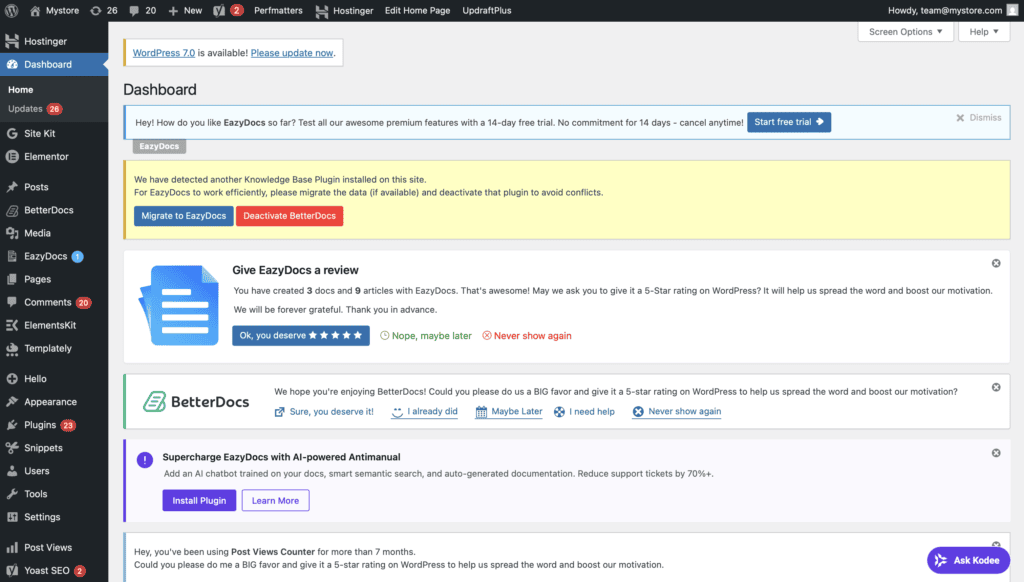
But that flexibility comes at a cost: maintenance is constant, things break more often than we’d like, and we’ve had to outsource help more than once just to fix or update parts of the site.
Learning WordPress in the first place was honestly a nightmare — it took real time and a lot of frustration before it clicked.
Scaling has also been a bit of a nightmare compared to Shopify — the bigger you grow, the more there is that can break. But once you’re used to WordPress, you start appreciating it a lot more. You can do virtually anything you want, it just takes longer to get there than it would on a simpler platform.
And honestly, if that extra flexibility is actually usable or necessary for your business, the extra maintenance is usually worth it — especially at an enterprise size, where you’ve got experts on hand to manage it properly.
The software itself is free, but real costs include hosting, domains, premium themes, plugins, and ongoing maintenance.
It can be one of the cheapest web builder options if you’re technical enough to manage it yourself — but costs rise quickly once you’re paying for plugins, developer time, or a team to maintain it, which lines up with what we’ve experienced running our own site.
Overall Score: 8.9/10
Squarespace is the best website builder for creatives who want a professional-looking website without hiring a designer. Its templates are among the best in the industry, making it a popular choice for photographers, designers, artists, and portfolio websites.
Squarespace’s purpose is different from WordPress and Shopify — it’s a website design tool built for people who want a beautiful, professional website with minimal effort, not maximum flexibility or ecommerce depth.
As a website maker online, it’s the strongest pick for design-focused websites (photographers, designers, artists, architects, agencies), portfolio sites, and small, service-based businesses like consultants, local businesses, restaurants, salons, and coaches.
anywhere the priority is a polished, professional presence with appointment booking, contact forms, and a simple online presence, not complex functionality.
People consistently choose Squarespace as their website maker tools of choice for the same handful of reasons:
beautiful templates with very little setup, an easy drag-and-drop editor, and hosting, security, updates, and maintenance all included — so there’s no technical knowledge required, and good built-in features without needing to rely on plugins.
For anyone comparing website making tools and wondering what website creator is the best fit for a visually driven brand, Squarespace is usually the answer.
| Pros | Cons |
|---|---|
| Beautiful, professionally designed templates that require very little customization. | Ecommerce features are suitable for smaller stores but less powerful than Shopify. |
| Easy to use with an intuitive editor and very little learning curve. | Less flexibility and customization than WordPress. |
| Hosting, security, updates, and maintenance are all included in one platform. | Advanced SEO settings and third-party integrations are more limited. |
| Excellent for portfolios, photographers, creatives, and design-focused business websites. | Less scalable for highly customized or rapidly growing websites. |
| Strong built-in blogging, marketing, and scheduling features. | Fewer extensions and integrations than WordPress or Shopify. |
Squarespace may not be the best choice for:
Plans start around $16/month, with higher-tier plans available for ecommerce and advanced business features.
Squarespace isn’t the right choice for large ecommerce stores, highly customized sites, or businesses needing advanced SEO or heavy third-party integrations.
But for creatives, portfolios, and small businesses that want a professional-looking website without touching the technical side of things — the entire reason so many people search for a website to make website in the first place — it remains one of the best choices available.
Can You Switch Platforms Later?
Yes, but how much work it takes depends heavily on which platform you started with — some let you take your content and data with you, others keep it locked in.
Wix has the most capable mobile app overall — it’s the only one of the four that lets you fully build and edit your site, not just manage it, from your phone.
The takeaway: Wix and Shopify have the strongest mobile apps, just for different jobs — Wix for building and editing on the go, Shopify for running day-to-day store operations from your phone.
More flexibility also means more things you’re responsible for keeping working.
Maintenance is something a lot of people don’t think about when choosing a platform — but it can become one of the most frustrating and time-consuming parts of owning a website.
Higher score = less maintenance.
| Platform | Maintenance Score | Level |
|---|---|---|
| Shopify | 9.7/10 | Very Low |
| Squarespace | 9.6/10 | Very Low |
| Wix | 9.5/10 | Very Low |
| WordPress | 6.5/10 | High |
Higher score = less maintenance required.
WordPress gives you enormous flexibility, but there are a lot more moving parts to maintain.
We’ve experienced this ourselves. A simple update can sometimes lead to hours spent troubleshooting plugins, CSS, caching, or other parts of the site. It’s one of WordPress’s biggest disadvantages — and the trade-off for having so much control.
Shopify, Wix, and Squarespace handle most of the underlying infrastructure for you. Shopify stands out because it combines this low-maintenance approach with excellent scalability and powerful ecommerce features.
After everything we’ve compared in this guide, maintenance is the final factor that pushes Shopify into our overall lead.
It may not offer WordPress’s level of control, but for most businesses, there’s enormous value in having a platform that simply works without constantly needing technical attention.
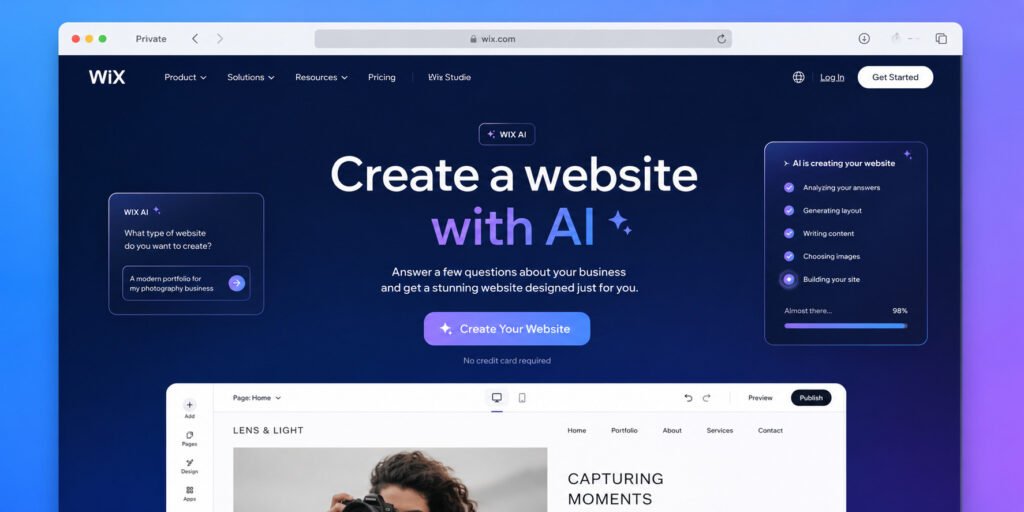
AI website builders have become increasingly popular because they can generate layouts, content, images, and website structures in minutes. While several platforms offer AI-powered website creation, not all AI tools deliver the same level of quality or flexibility.
Wix is our top pick for the best AI website builder thanks to its combination of ease of use, AI-powered design tools, and beginner-friendly setup process.
Why It Wins
Unlike many AI website generators, Wix allows users to continue editing and customizing their site without feeling locked into the AI’s original design choices.
AI website builders are a great choice for:
If your goal is to get online as fast as possible, AI website creators can dramatically reduce the time required to build a professional-looking website.
AI website builders may not be the best option if:
While AI can save time during setup, most growing businesses eventually need some level of manual customization and optimization.
Wix is the best AI website builder for most users because it combines AI-powered website creation with an easy-to-use editor and enough flexibility to grow beyond the initial AI-generated website. For beginners, it’s one of the fastest ways to launch a professional website with minimal effort.
There is no single best website platform for every business. The right choice depends on your goals, budget, and how much flexibility you need.
If you’re building an online store, Shopify is the strongest choice. If SEO and content marketing are your primary growth strategies, WordPress offers the most customization and flexibility. For beginners looking for the easiest setup, Wix is one of the best website builders available and also our top pick for AI website creation. If design and branding are your priorities, Squarespace stands out with some of the best templates on the market.
The biggest decision is often simplicity versus customization. Platforms like Wix and Shopify are easier to learn and maintain, while WordPress offers greater control at the cost of a steeper learning curve.
The best website builder is the one that supports both your current needs and future growth. Choosing the right website platform from the beginning can save significant time, money, and frustration later on.
Common questions about website builders, ecommerce platforms, and choosing the right solution.
The best platform depends on your goals. Shopify is best for ecommerce, Wix is ideal for beginners, WordPress is strongest for SEO and customization, and Squarespace is a great choice for design-focused businesses.
Wix is generally considered the easiest website builder thanks to its drag-and-drop editor, simple interface, and AI-powered website creation tools.
Shopify is the leading choice for most online stores because it combines website building, payments, inventory management, shipping tools, and ecommerce features in one platform.
WordPress is often better for content-heavy websites and advanced SEO, while Shopify is typically the better choice for businesses focused on ecommerce and online sales.
Wix currently offers some of the strongest AI website-building features, helping beginners create professional websites faster with less manual work.
Yes. Shopify, Wix, and Squarespace are designed for non-technical users and allow you to create professional websites without writing code.
Wix and Squarespace offer affordable plans for beginners, while WordPress can be inexpensive if you manage your own hosting. However, the cheapest option is not always the best long-term choice.
WordPress remains the strongest platform for advanced SEO flexibility, though Shopify and Wix now provide excellent SEO tools for most businesses.
Yes, but migrating a website can take time and may affect content, SEO, and functionality. Choosing the right platform from the start can save significant effort later.
For most online stores, Shopify is the strongest overall choice due to its ease of use, scalability, ecommerce features, reliability, and long-term growth potential.
Explore practical articles designed to help you think better, build smarter, and move forward.
Explore Articles →